

InvoCue
Log in

Say it out loud.
Get a professional invoice.

InvoCue turns a voice note into an invoice. Hold the mic button in WhatsApp, say who it’s for, what you did and how much — in English or Spanish — and the AI writes the line items, does the math and sends you a PDF with your logo.

  • First invoice free
  • No credit card
  • Set up in 30 seconds

InvoCue

online

Example

Voice note: “Invoice for Mike Johnson. Two hours of drywall repair at 65 an hour, paint and materials 40, add 8.25% tax.”

📋 Invoice INV-0031 · Mike Johnson

Drywall repair (2 h × $65)
$130.00
Paint and materials
$40.00
Tax 8.25%
$14.03
💵 Total
$184.03
Yes

INV-0031.pdf

1 page · PDF

Hours × rate and tax, calculated for you.

Why contractors invoice by voice

Hands busy? Just talk.

Create the invoice from the truck or between jobs without typing a single line.

Understands how you talk

Hours × rate, quantities, discounts, tax and due dates — say it naturally and the AI sorts it out.

English, Spanish or both

Talk in the language you’re comfortable with and create the document in the language your client reads.

You approve every invoice

You always see a draft first. Reply YES to create the PDF, or just say what to change.

Your first invoice in 3 steps

No app to download. No training. If you can send a WhatsApp, you can use InvoCue.

  1. 1

    Say it

    Send a voice note or a text with the client, the job and the price — in English or Spanish.

  2. 2

    Check it

    InvoCue shows you a draft with items, tax and total. Reply YES — or just say what to change.

  3. 3

    Send it & get paid

    Get a professional PDF with your logo and send it to your client, with a link to pay by card.

First invoice free · No credit card

Tips for a perfect voice invoice

The AI is forgiving, but these tips get you a perfect invoice on the first try:

  1. 1

    Start with the document and the client

    “Invoice for…” or “Estimate for…” followed by the client’s name. Add their phone or email if you have it.

  2. 2

    Say each item followed by its price

    “Mowing 55, edging 20, hedge trimming 65.” A short pause between items helps.

  3. 3

    Use hours or quantities when they apply

    “3 hours at 60” or “4 outlets at 25 each” — InvoCue multiplies for you.

  4. 4

    Mention tax, discounts and due date

    “Add 7% tax”, “10% discount”, “due in 15 days”. Say it and it goes on the invoice.

  5. 5

    Add notes at the end

    “Notes: 90-day warranty on labor.” Notes are copied onto the PDF word for word.

  6. 6

    Check the draft and reply YES

    Fix anything by replying in plain words, then get your PDF.

Prefer typing? Text messages work exactly the same way.

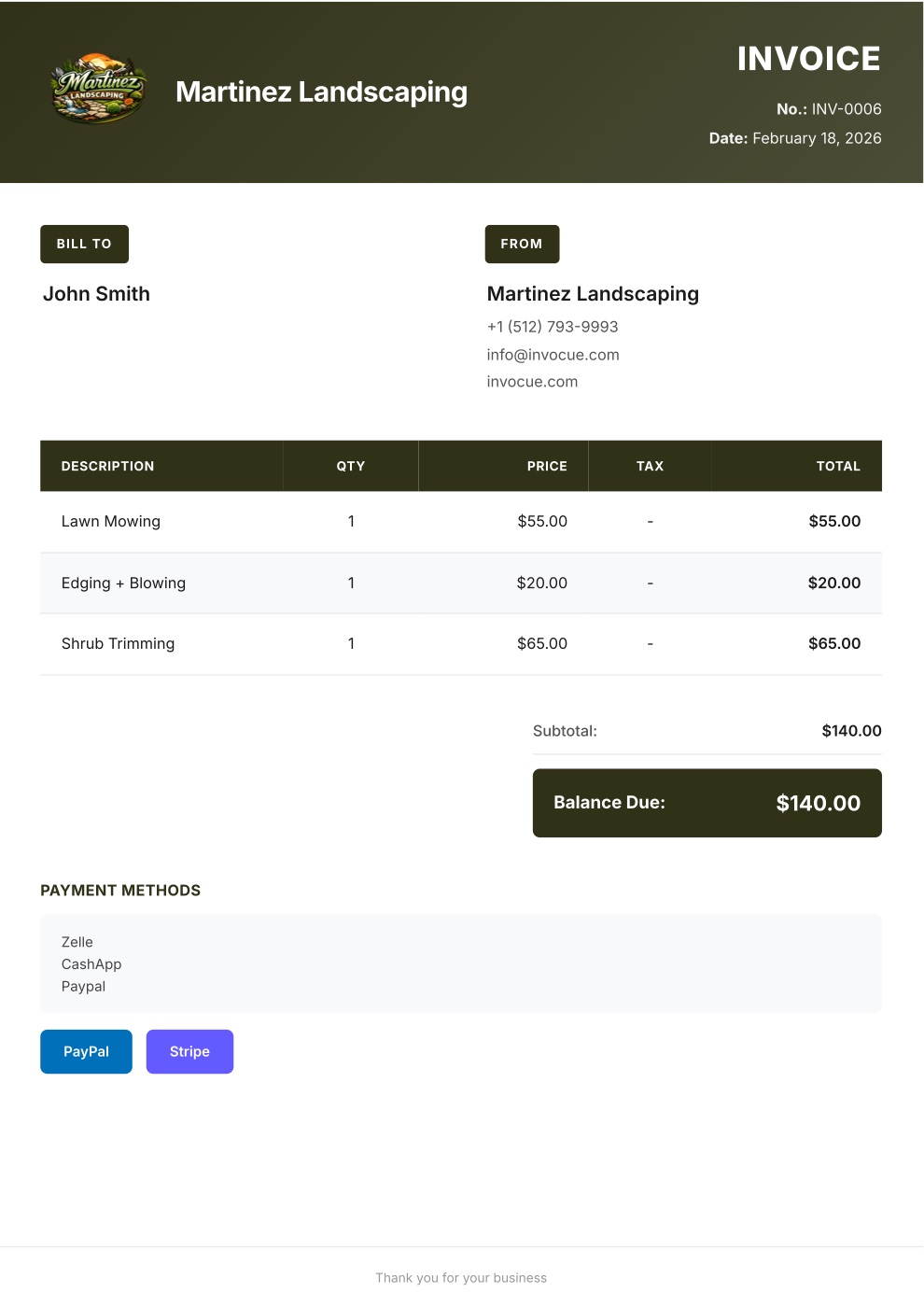
Example invoice PDF created with InvoCue
✓

Payment received

$140.00 · paid by card

The result

What your client receives

A clean, professional PDF with your logo and colors — the kind of invoice that gets paid on time.

  • Your brand on every document

    Logo, colors, contact info and signature.

  • Math done for you

    Items, quantities, tax, discounts and totals — calculated automatically.

  • Pay-by-card buttonPro

    Secure Stripe payment link so clients can pay in a couple of taps.

  • Every document you need

    Invoices, estimates, quotes and receipts — in English or Spanish.

Pricing

Simple pricing. Try it free.

Every plan starts with a 3-day free trial. $0 today, cancel anytime.

Starter

For getting started

$29/mo

$0 today · then $29/mo

  • 50 documents per month
  • Voice notes & text on WhatsApp
  • Invoices, estimates & receipts
  • Your logo & custom template
  • Dashboard & document history
  • Multi-currency
Most popular

Pro

For busy solo pros

$49/mo

$0 today · then $49/mo

Everything in Starter, plus:

  • Unlimited documents
  • Card payments with Stripe
  • Free 1-on-1 setup call

Premium

For teams & growing businesses

$79/mo

$0 today · then $79/mo

Everything in Pro, plus:

  • Automatic email to your clients
  • Open & payment notifications
  • Automatic WhatsApp payment reminders
  • Priority WhatsApp support

Swipe to see all plans

Secure checkout by Stripe · Cancel anytime

Not ready to pick a plan?

Create your first invoice free on WhatsApp — no card needed

14-day money-back guarantee. If InvoCue isn’t for you, message us within 14 days of your first payment and we’ll refund you in full. No questions, no forms.

Frequently asked questions

You send a WhatsApp voice note to InvoCue. It’s transcribed, the AI picks out the client, items, prices, tax and notes, and you get a draft. Reply YES and you receive a PDF invoice with your logo.

You always see a draft before the PDF is created. Reply with the correction — “the second item is 75” — and it’s fixed.

Voice notes are transcribed with modern speech recognition that handles English and Spanish accents well. On a very noisy job site, speak a bit closer to the phone or send a text instead.

Yes. Say “estimate for…” or “quote for…” instead of “invoice for…” and that’s the title your document gets. Receipts work too.

No. Everything happens inside the WhatsApp you already have. There’s also a web dashboard with all your documents.

Cue, the InvoCue robot assistant

Your next invoice can take 30 seconds.

Send a voice note, get a professional PDF, get paid. Try it now — your first invoice is free.

No signup · No credit card · Cancel anytime