

InvoCue
Log in

Landscaping invoices
done before the next yard.

Mowing, edging, mulch, spring cleanups — you finish one yard and drive to the next. With InvoCue you send a voice note from the truck, and your client gets a clean, itemized landscaping invoice before you’ve loaded the mower.

  • First invoice free
  • No credit card
  • Set up in 30 seconds

InvoCue

online

Example

Voice note: “Invoice for the Petersons: weekly mowing, 4 visits at 45, mulch 6 yards at 55, spring cleanup 220.”

📋 Invoice INV-0102 · The Petersons

Weekly mowing (4 × $45)
$180.00
Mulch (6 yd × $55)
$330.00
Spring cleanup
$220.00
💵 Total
$730.00
Yes

INV-0102.pdf

1 page · PDF

Visits, yards and extras — one voice note.

Made for lawn care routes

Invoice between stops

A 20-second voice note from the truck instead of an hour of paperwork on Sunday night.

Recurring clients, easy

Weekly or bi-weekly service? Say the visits and the rate, and InvoCue does the math.

Estimates on the spot

Send a sod, mulch or hardscape estimate while you’re still walking the property.

English or Spanish

Talk in whichever language you prefer and invoice in the one your client reads.

Your first invoice in 3 steps

No app to download. No training. If you can send a WhatsApp, you can use InvoCue.

  1. 1

    Say it

    Send a voice note or a text with the client, the job and the price — in English or Spanish.

  2. 2

    Check it

    InvoCue shows you a draft with items, tax and total. Reply YES — or just say what to change.

  3. 3

    Send it & get paid

    Get a professional PDF with your logo and send it to your client, with a link to pay by card.

First invoice free · No credit card

What to include in a landscaping invoice

Whether it’s one cleanup or a full season of mowing, a good lawn care invoice includes:

  1. 1

    Your business name, logo and phone

    So the client recognizes you instantly — and knows how to reach you.

  2. 2

    Client name and service address

    Especially important when one client has more than one property.

  3. 3

    Service dates or period

    For recurring work, write the month or the visit dates — for example, “Mowing, June, 4 visits”.

  4. 4

    Each service with quantity and price

    Mowing, edging, trimming, leaf removal, mulch by the yard, plants by the unit.

  5. 5

    Materials and disposal fees

    Mulch, soil, plants and dump fees as separate lines, so nothing looks hidden.

  6. 6

    Tax, total and due date

    Landscaping is taxed in some states and not in others — add sales tax only where it applies.

Say it once in a voice note and InvoCue lays it all out on a professional PDF.

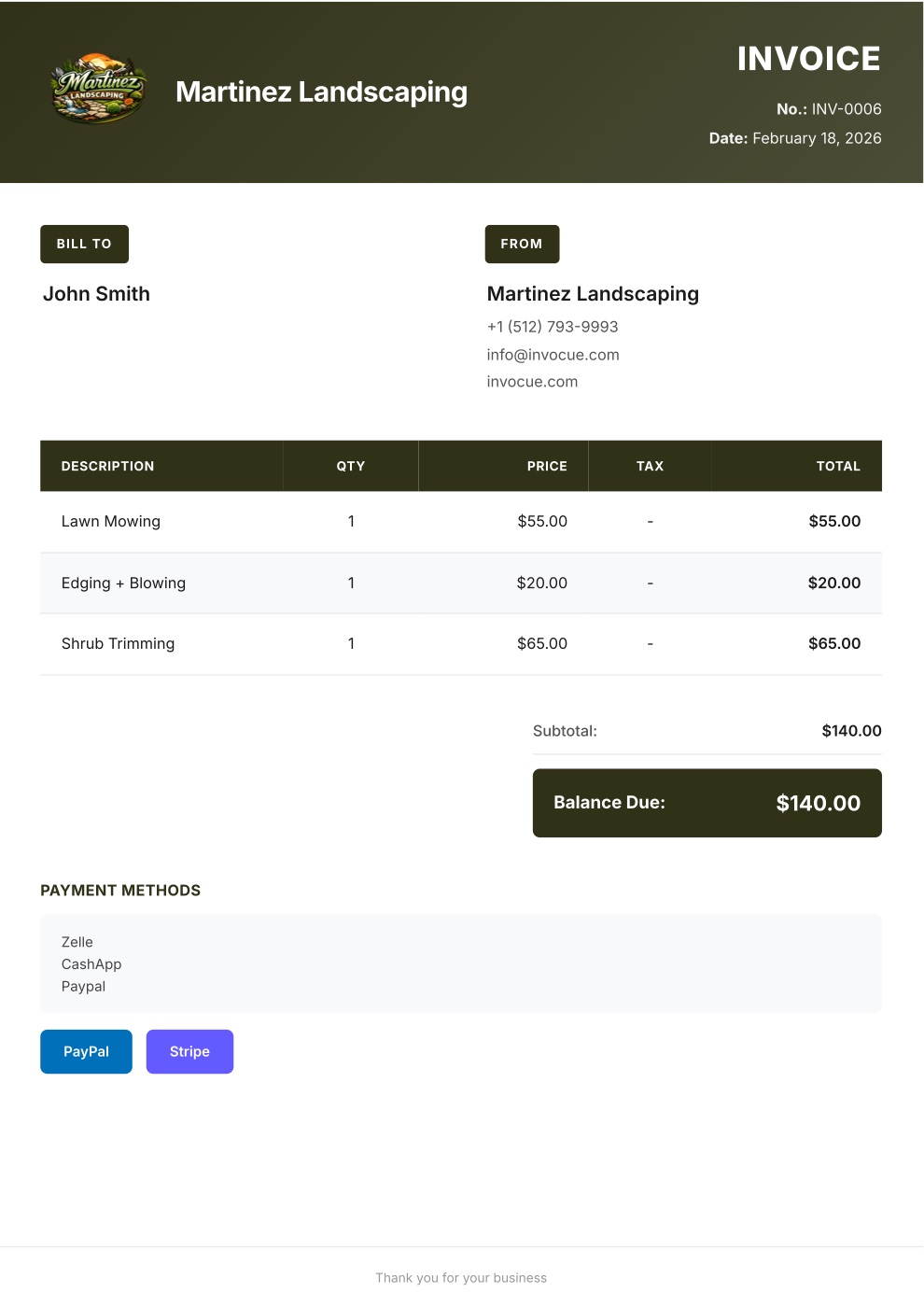
Example invoice PDF created with InvoCue
✓

Payment received

$140.00 · paid by card

The result

What your client receives

A clean, professional PDF with your logo and colors — the kind of invoice that gets paid on time.

  • Your brand on every document

    Logo, colors, contact info and signature.

  • Math done for you

    Items, quantities, tax, discounts and totals — calculated automatically.

  • Pay-by-card buttonPro

    Secure Stripe payment link so clients can pay in a couple of taps.

  • Every document you need

    Invoices, estimates, quotes and receipts — in English or Spanish.

Pricing

Simple pricing. Try it free.

Every plan starts with a 3-day free trial. $0 today, cancel anytime.

Starter

For getting started

$29/mo

$0 today · then $29/mo

  • 50 documents per month
  • Voice notes & text on WhatsApp
  • Invoices, estimates & receipts
  • Your logo & custom template
  • Dashboard & document history
  • Multi-currency
Most popular

Pro

For busy solo pros

$49/mo

$0 today · then $49/mo

Everything in Starter, plus:

  • Unlimited documents
  • Card payments with Stripe
  • Free 1-on-1 setup call

Premium

For teams & growing businesses

$79/mo

$0 today · then $79/mo

Everything in Pro, plus:

  • Automatic email to your clients
  • Open & payment notifications
  • Automatic WhatsApp payment reminders
  • Priority WhatsApp support

Swipe to see all plans

Secure checkout by Stripe · Cancel anytime

Not ready to pick a plan?

Create your first invoice free on WhatsApp — no card needed

14-day money-back guarantee. If InvoCue isn’t for you, message us within 14 days of your first payment and we’ll refund you in full. No questions, no forms.

Frequently asked questions

Yes. Say the number of visits and the price per visit — “4 mowings at 45” — and InvoCue calculates it. Each month’s invoice takes seconds.

Yes. Say “estimate for…” and you get a professional estimate for sod, mulch, planting, hardscape or any other job.

It depends on your state or province — some tax landscaping services and some don’t. If you need tax, just say “add 7% tax” and it’s added to the invoice.

Yes, on Pro and Premium. Your invoices include a secure Stripe link so clients can pay by card in a couple of taps.

Your first invoice is free — no signup and no credit card. Plans start at $29/month after a 3-day free trial.

Cue, the InvoCue robot assistant

Your next invoice can take 30 seconds.

Send a voice note, get a professional PDF, get paid. Try it now — your first invoice is free.

No signup · No credit card · Cancel anytime